MeTop.ai

Resource Center/Material Collection

Photogrammetry guide

Using photo sequences to restore real objects and spaces requires controlling the shooting angle, sharpness, exposure and texture characteristics.

Material collection

Photogrammetry guide

Using photo sequences to restore real objects and spaces requires controlling the shooting angle, sharpness, exposure and texture characteristics.

Photogrammetry Guide Content Preview

Resource content

Photogrammetry Guide Content Preview

Material

photo sequence

key

Clarity and Overlap Rate

result

3D model

Main content

Let’s look at the key steps clearly first

Organize the key points in the order of real projects so that the team can check them one by one during acquisition, reconstruction and delivery.

01

Number of shots

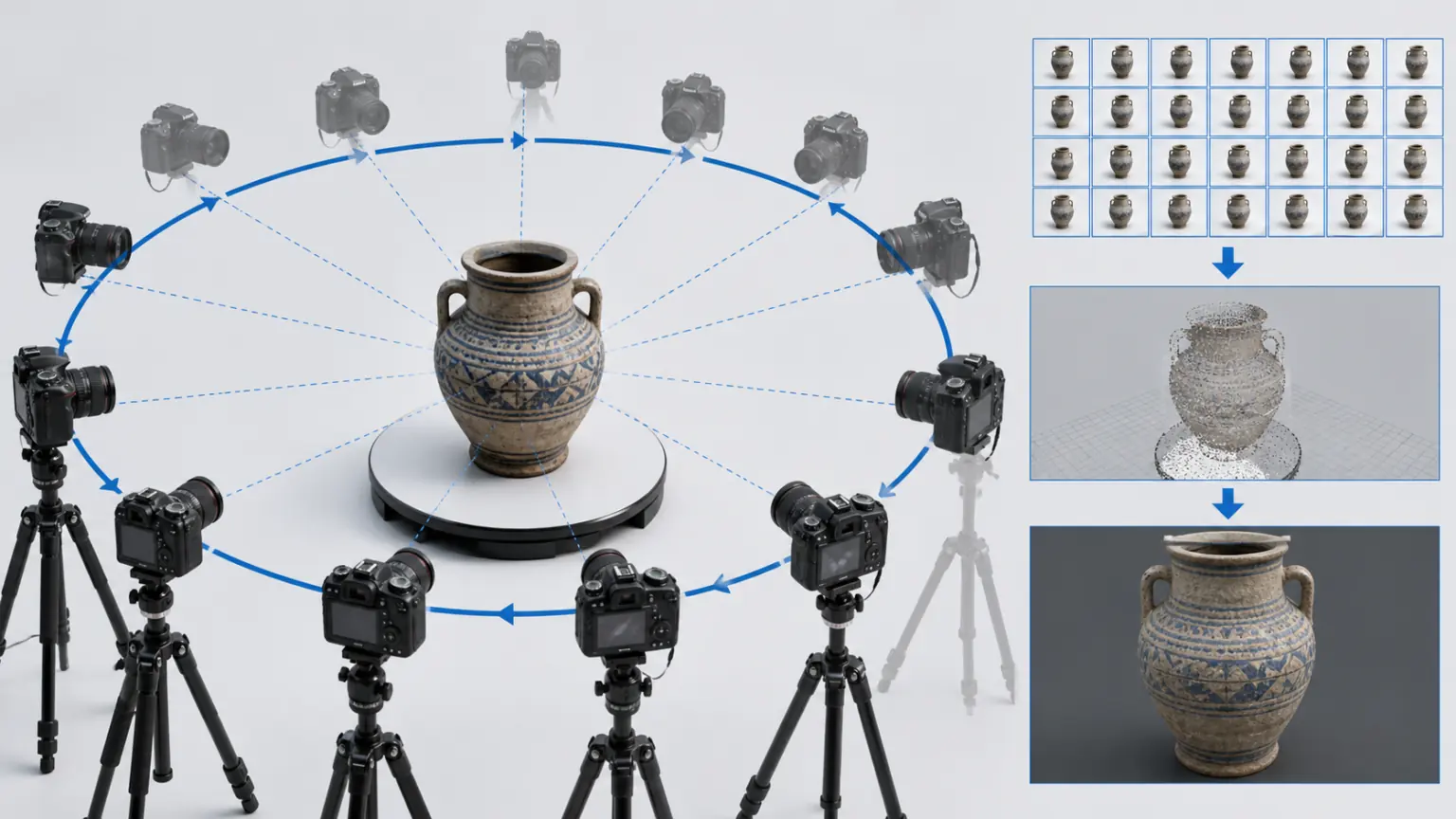
It is recommended to take 60 to 120 photos for small products. Large spaces or complex objects need to be collected in sections by area.

02

shooting path

Shoot around the target from different heights to keep the focus stable and avoid frequent zooming in the middle.

03

Quality check

Eliminate blur, overexposure and repeated invalid material, reducing the probability of reconstruction failure and partial loss.

04

Organize photo sequence

Organize photos according to shooting location and height, eliminate blur, overexposure and repeated invalid images, and then enter the reconstruction process.

reading path

From guide to real project

01

Reading Guide

First understand the applicable scenarios, material requirements and common problems.

02

Prepare materials

Organize photos, videos, point clouds or project data into lists to reduce rework.

03

Start verification

Complete your first rebuild with MeTop.ai Space, or contact the team to assess a professional project.

Preparation Checklist

Confirm each item before starting

Handing this list to the acquisition, product, or project leader can reduce omissions and duplicate communications.

01

Fixed focus and exposure

02

Shoot around the target at different heights

03

Maintain continuous screen overlap

04

Avoid strong reflections and large areas of solid color surfaces

05

Check photo clarity and coverage

Next step

After preparing the materials, start verification directly

Register for a MeTop.ai Space account and use real photos or videos to complete the first reconstruction; when it comes to professional equipment, large scenes or corporate access, you can contact us first.