MeTop.ai

Resource Center/Business Delivery

3D product display guide

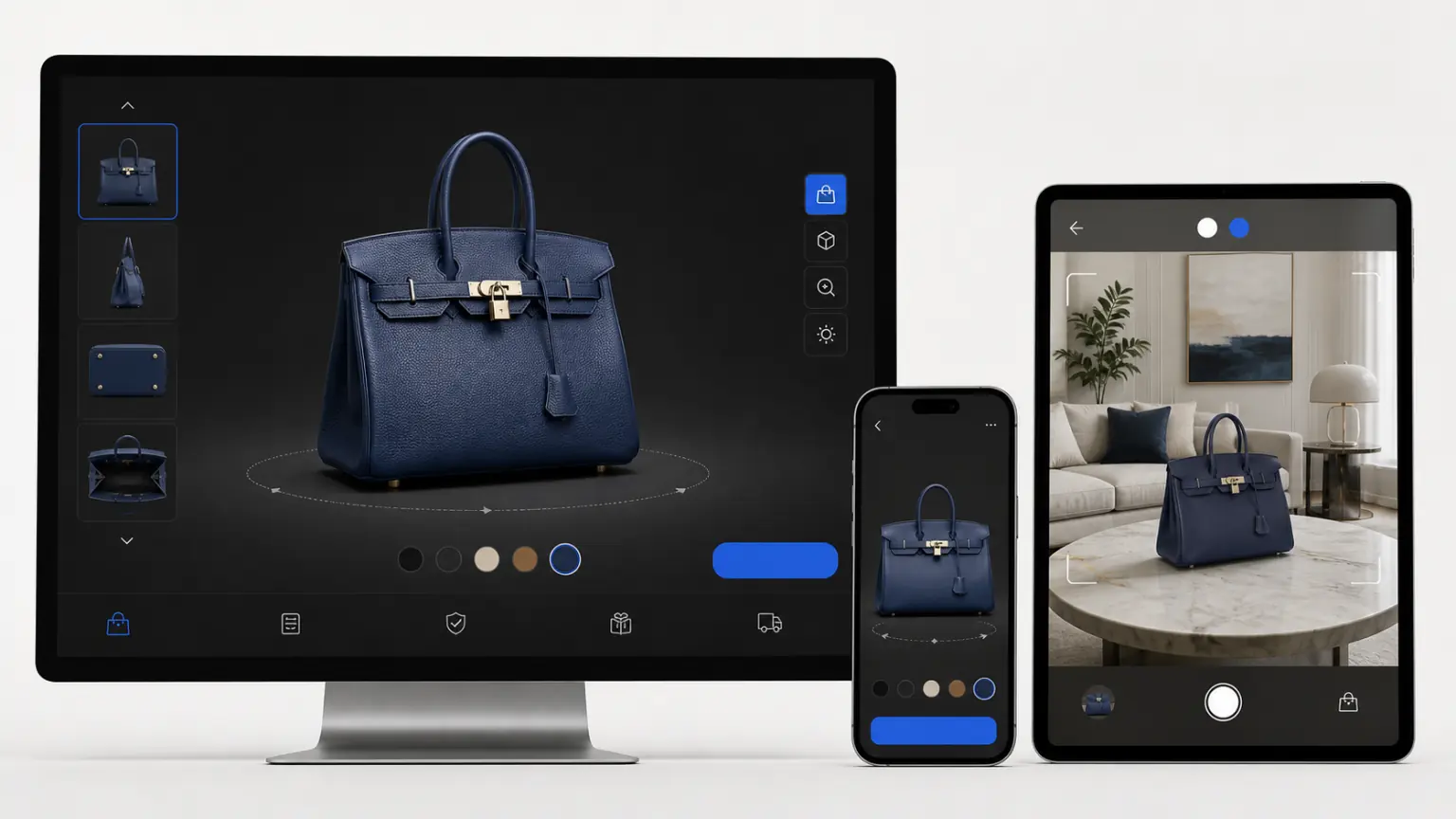
First use a representative product to check the three-dimensional effect, and then gradually complete the details page embedding, content production and batch launch.

business delivery

3D product display guide

First use a representative product to check the three-dimensional effect, and then gradually complete the details page embedding, content production and batch launch.

Product 3D display guide content preview

Resource content

Product 3D display guide content preview

starting point

Single item verification

scene

Details page and marketing content

Ability

MeTop.ai 3D Creative Factory

Main content

Let’s look at the key steps clearly first

Organize the key points in the order of real projects so that the team can check them one by one during acquisition, reconstruction and delivery.

01

Start with one product

Select a representative product to complete the 3D display and check the visual effects, loading speed and customer feedback.

02

embedded delivery

Embed the three-dimensional product results into the official website, detail pages, event pages and sales links, allowing users to view details directly.

03

content generation

Based on the three-dimensional assets of real products, scene maps and advertising videos are produced according to the product selling points, brand style and channel specifications.

04

Batch online

Establish standard processes for material submission, quality inspection, naming, lightweighting and page embedding.

reading path

From guide to real project

01

Reading Guide

First understand the applicable scenarios, material requirements and common problems.

02

Prepare materials

Organize photos, videos, point clouds or project data into lists to reduce rework.

03

Start verification

Complete your first rebuild with MeTop.ai Space, or contact the team to assess a professional project.

Preparation Checklist

Confirm each item before starting

Handing this list to the acquisition, product, or project leader can reduce omissions and duplicate communications.

01

Choose a representative product

02

Prepare clear, continuous photos or videos of your products

03

Determine placement on detail pages

04

Organize brand style and content specifications

05

Confirm output requirements for main image, video and 3D links

Next step

After preparing the materials, start verification directly

Register for a MeTop.ai Space account and use real photos or videos to complete the first reconstruction; when it comes to professional equipment, large scenes or corporate access, you can contact us first.